Area: All areas
SharePoint web parts
“Our intranet is cluttered and out of date.”
Web parts that slot into your existing SharePoint pages and show your lists live.
Result
More than 40 web parts for one organisation, mostly 1–2 days per web part.
SharePoint · Internal apps
We build internal software for small and mid-size companies: ready-made building blocks for your Microsoft 365, in your design, with your login. You see every step on a shared board.
Send us a small request, we'll build it for free.
1 task per client · one screen or one feature · in up to 3 days




Your team · Berlin · Cairo
Example: building blocks become a booking app – with a dashboard, bookings, a calendar and a login.
Many SharePoint intranets look dated and are hard to use day to day.
Posts, events and pages stay in your SharePoint lists.
Your team signs in with their Microsoft account. Your groups decide who may edit what.
Your content stays where it is. We renew the interface.
01
A picture of one old web part is enough to start.
02
We redesign it and show you the result, in up to 3 days.
03
If you like it, we renew the rest of your intranet step by step.
Your free small task · 1 per client · in up to 3 days
Our flagship — we call it the Baukasten: a library of building blocks for your Microsoft 365, in your design, with your login, on your own server.
React components in your design that snap together like building blocks — a form, an approval, a dashboard.
Everyone signs in with their Microsoft account and sees only what their permissions allow.
Runs on your intranet domain. Your data never leaves your system.
Forms, approvals, dashboards and directories — built from the same blocks.
Three examples from real projects, rebuilt with example data.
Area: All areas
“Our intranet is cluttered and out of date.”
Web parts that slot into your existing SharePoint pages and show your lists live.
Result
More than 40 web parts for one organisation, mostly 1–2 days per web part.
Status at a glance: Planned / Draft / Published
“We still do this on paper, in Excel and by e-mail.”
Small, focused apps built from your sketch — for requests, onboarding or the editorial plan.
Result
A first version in 1–2 days, with Microsoft sign-in and rights by group.
“Our website is slow or looks dated.”
Fast websites and product pages, built to be found on Google.
Result
A page that says straight away what you offer — on a phone as on a desk.
Every task sits on a shared board. You see what is being built, what is waiting for your feedback and what is live.
Project board
Example01
You send us a sketch, a photo or a few sentences. On a call we work out what the app has to do.
02
First you get something to click through. A first app version takes us about 10 to 14 hours of work.
03
Every week we show what is done and you tell us what should change. The board shows what we are working on.
From practice
Weekly sprints with the same client for almost a year
04
When everything fits, the app goes live. After that we stay on hand for changes and maintenance when you need them.
For an organisation in Germany we build and maintain its SharePoint intranet. For almost a year, in weekly sprints.
From the project
The building blocks the intranet's pages are made of.
Standalone apps inside the intranet — for the editorial team and for new colleagues.
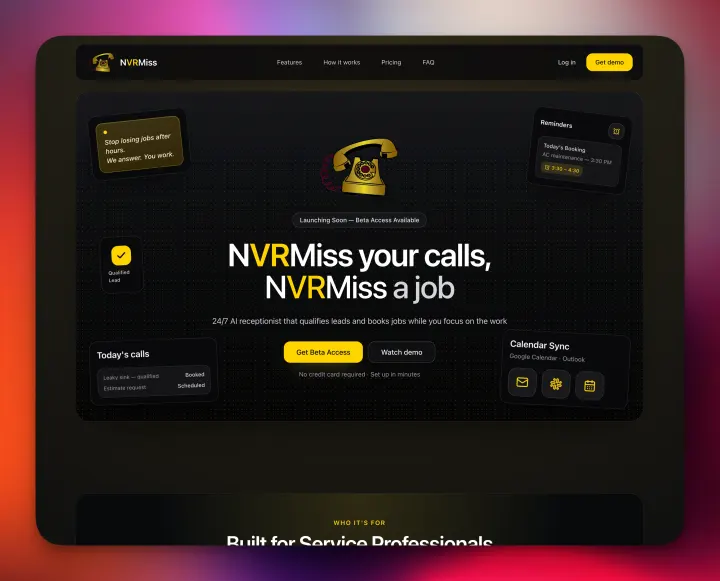
Product site for B2B software for service businesses: features, how it works, pricing, FAQ.
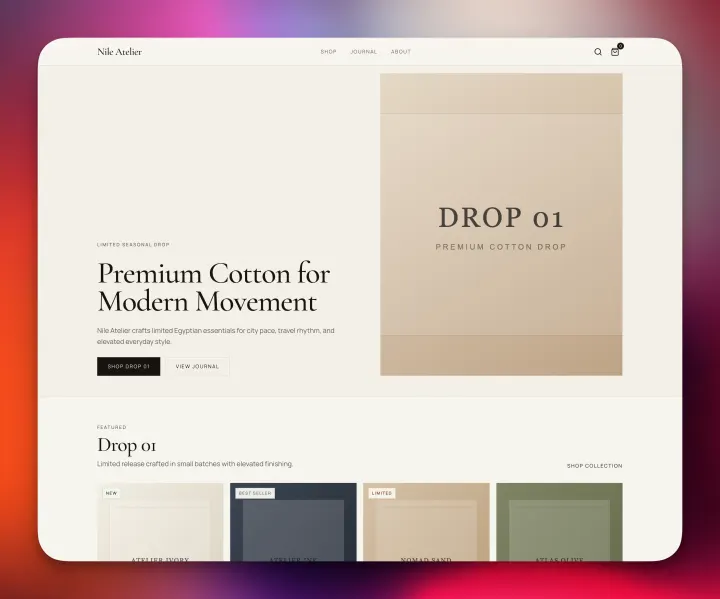
Website for an Egyptian fashion label, with collection and journal.
How we handle your data, your access and your code.
We build directly inside your Microsoft 365 and SharePoint. Your data lives with Microsoft, not with us — we have no servers of our own for it.
You grant us access to your Microsoft 365. Your own permission groups control who can see and edit what.
You get the code, the documentation and full control. There is no lock-in.
Keys and passwords live in their own protected store — never in code and never in chat.
The price depends on the amount of work. These are the figures we start from.
Larger projects get a discount — and a little extra on top. Before we start, you get an estimate from us. All prices net.
Short answers on cost, speed, working together and your code.
The price depends on the amount of work – from €600, €70 per hour for ongoing changes. Larger projects get a discount, plus a little extra on top. Before we start, you get an estimate from us. All prices net.
A new web part usually takes 1–2 days. The first version of an internal app is ready in a few days.
No. We build SharePoint web parts, internal apps, websites and frontends — and look after them after launch.
We work in weekly sprints. Every week we show what is done and you tell us what should change. You have one fixed contact.
How we workYour fixed contact is Adam Nafie in Berlin. Berlin and Cairo are at most one hour apart. We talk with you in German or English.
You do. You get the code, the documentation and full control. There is no lock-in.
We stay on hand for changes and maintenance when you need them. Billed per request.
A few sentences are enough. If you have a sketch or files, attach them.
Or straight to contact@coditu.com
You get a personal reply from Adam in Berlin.
Adam Nafie
Client partnerships
From the first call to go-live, you talk to the same person.
Mohamed Tamer
Frontend Lead
Abdelrahman Elkhateeb
Frontend Engineer
Ahmed Yehia
Backend & DevOps